Launch Maya
Warning
To connect FCS and Maya, you must always launch Maya from the FCS menu.
Launching Maya
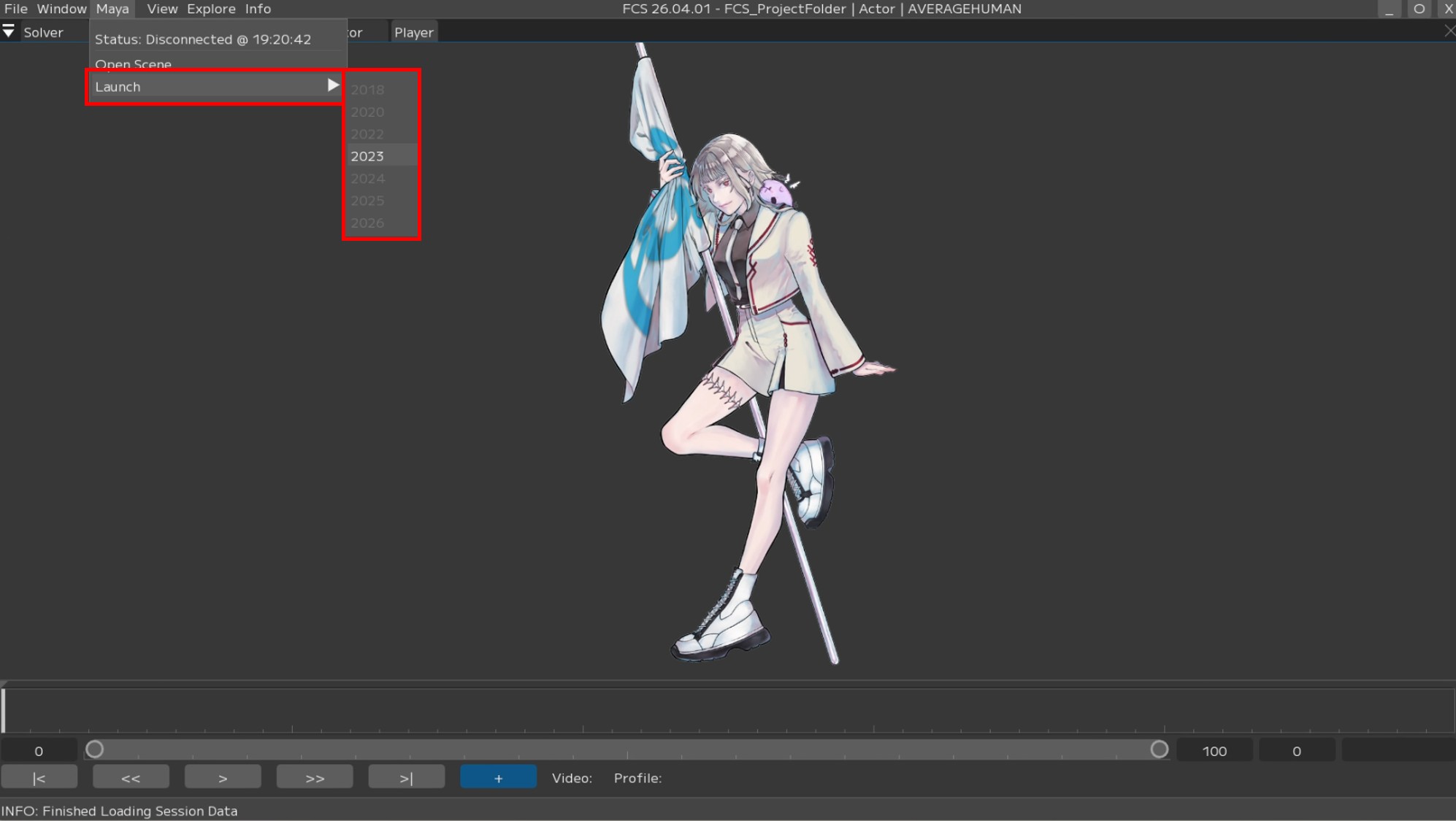
Launch Maya from [Maya] -> [Launch] -> [Maya Version] to open the Maya scene registered during Session creation.
Example: In this case, we selected 2020 because the Maya version used to create the character data was Maya2020.
Note
Clicking Open Scene allows you to reopen the configured Maya Scene
Clicking Launch will automatically open the Maya Scene configured during session creation
Note
To prevent accidental clicks on the wrong Maya version, versions other than the Maya Version set during Session creation are blacked out and cannot be clicked.
If the Maya version specified in Launch cannot be opened
The settings configured during session creation can be checked via File → Session → info.
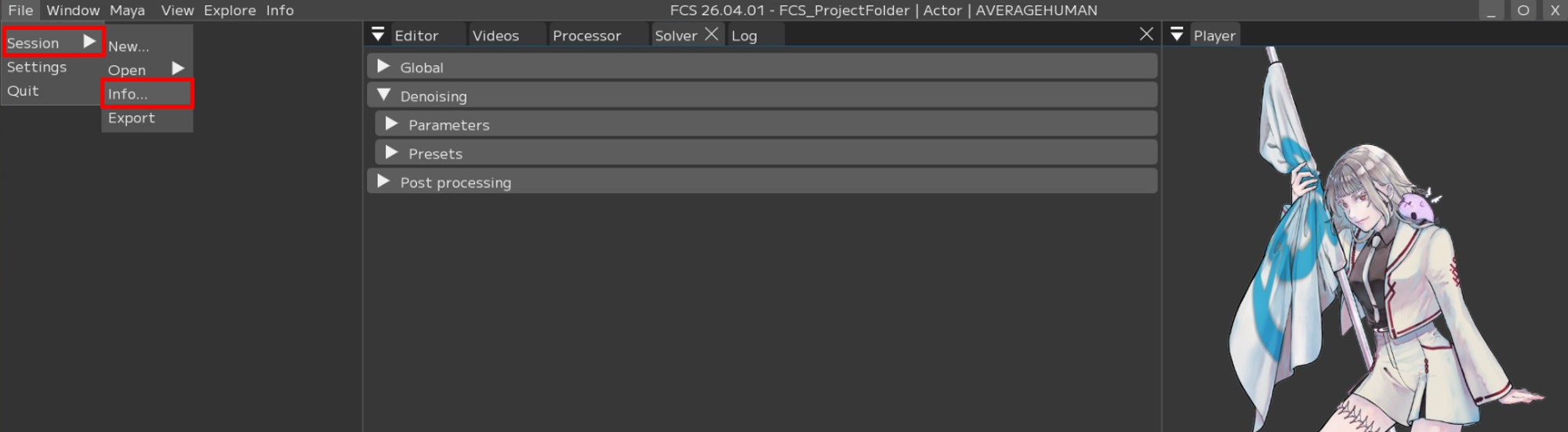
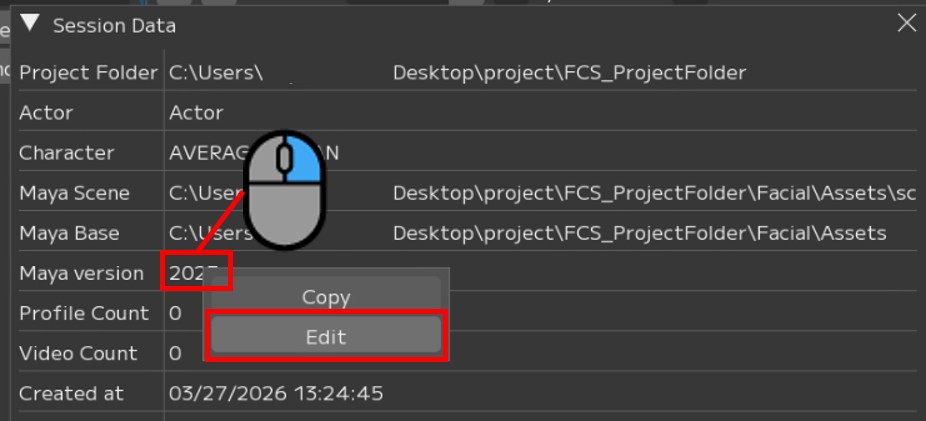
If the Maya Ver set in New Session is not reflected in the info, right-click Maya Version on the info screen and change it from Edit.
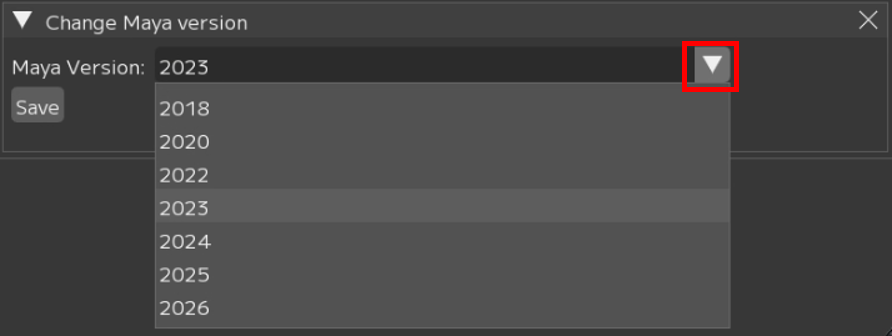
Set the Maya Version from the pull-down menu.
Attention
Be sure to press the Save button after changing settings