Maya
This section describes the menu items related to launching Maya and linking between FCS and Maya.
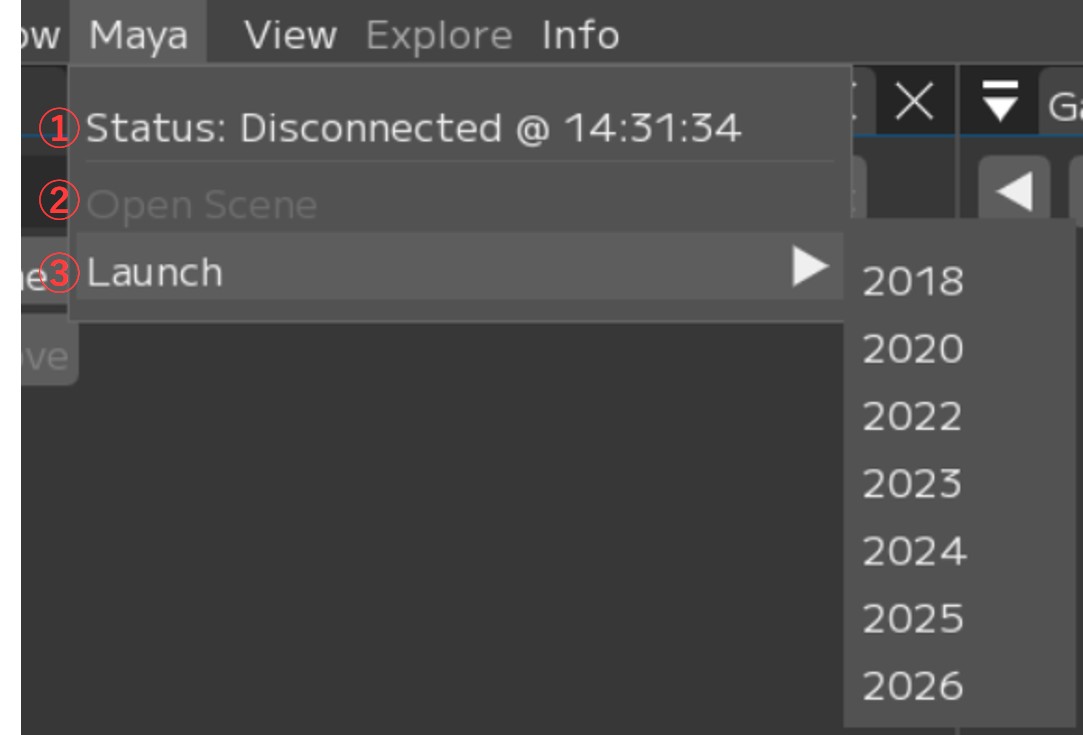
① Status: Check the connection status with Maya. Click to test the connection.
② Open Scene: Open the Maya Scene registered in the Session
③ Launch ▶: Open a new instance of the Maya version registered in the Session.
If ‘Open maya scene at launch’ is enabled in Settings, the Maya scene will also be opened.
Menu Descriptions - Table of Contents
- File: Session file management and basic operations
- Settings: File/Settings - Global environment settings and behavior options for FCS
- Window: Display and operation guide for each window
- Maya: Launching and linking with Maya
- View: Adjusting the workspace layout
- Explore: Browsing files in Windows Explorer from FCS
- Info: Version information and more